

Bike computer
The bike computer you build yourself
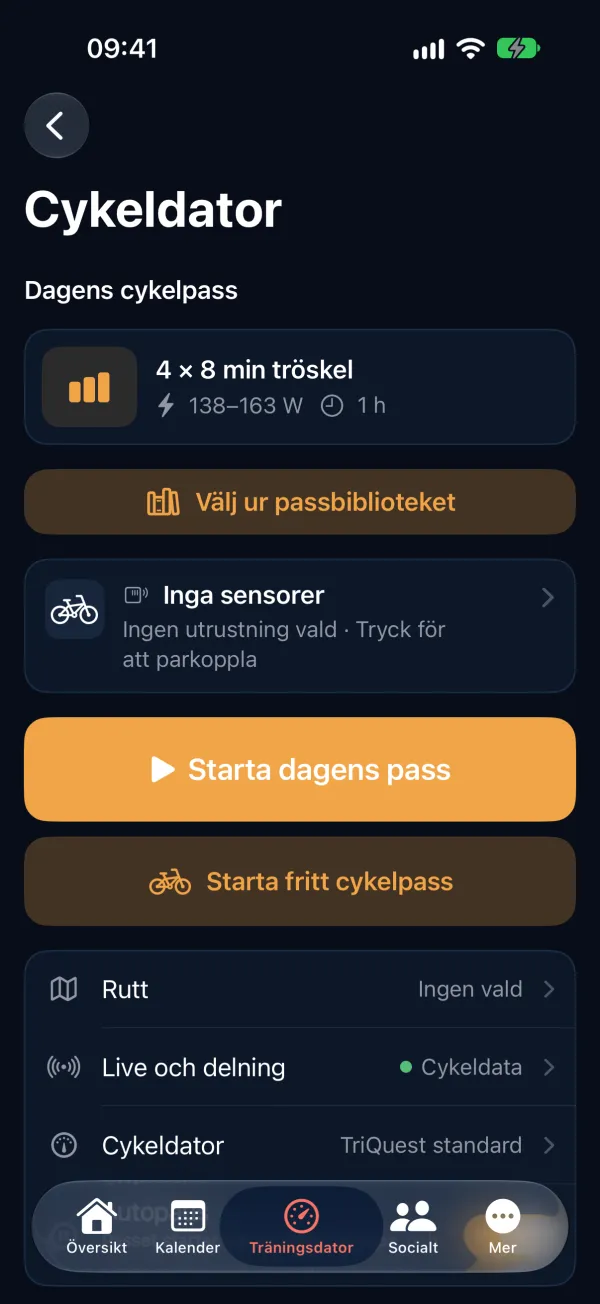
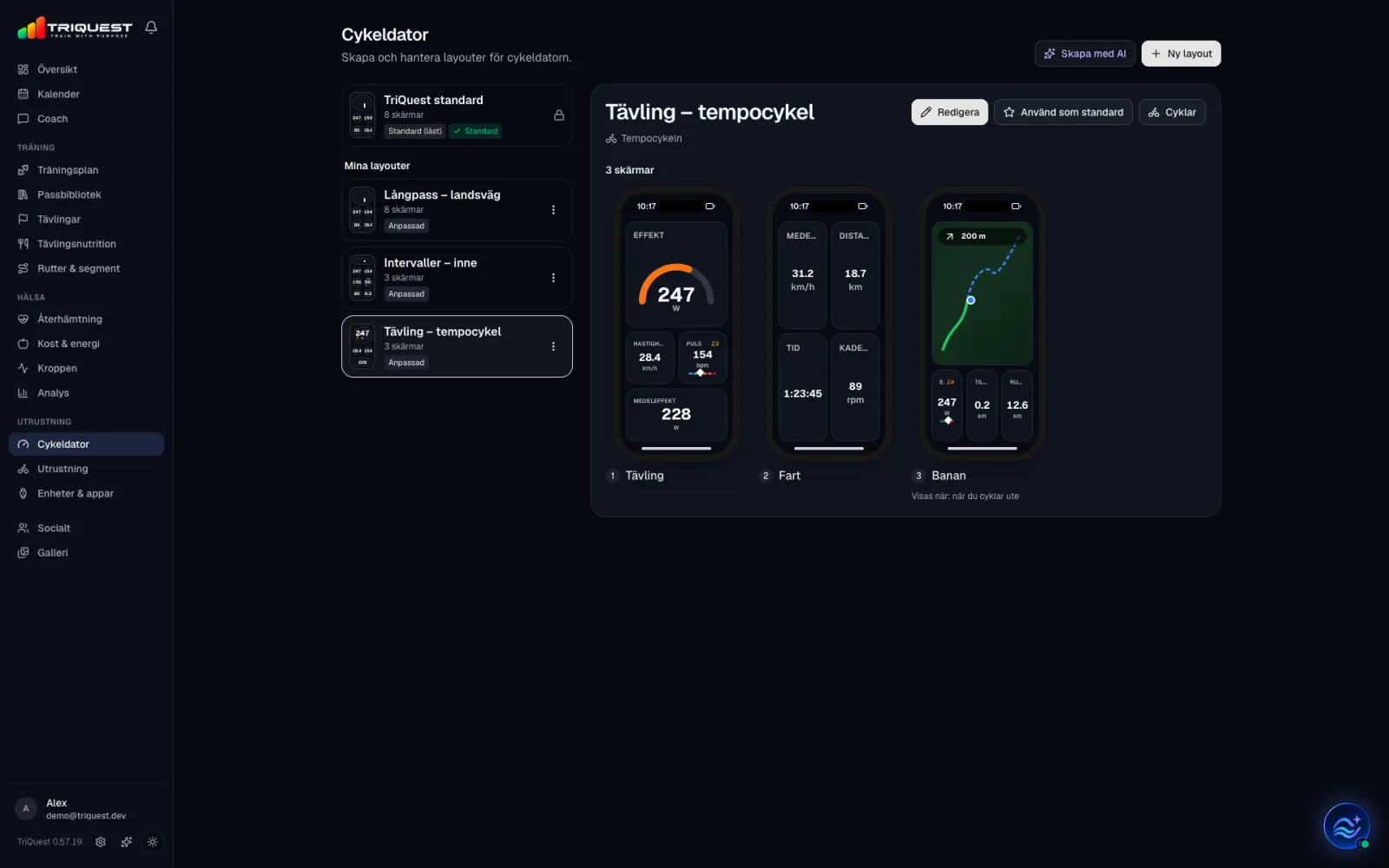
TriQuest turns your phone into a bike computer, and you decide what it shows. Build the screens on the web, save them as profiles and link a profile to each bike. When you roll out, the app shows the right screens for the bike, the workout and whether you are outdoors or indoors.
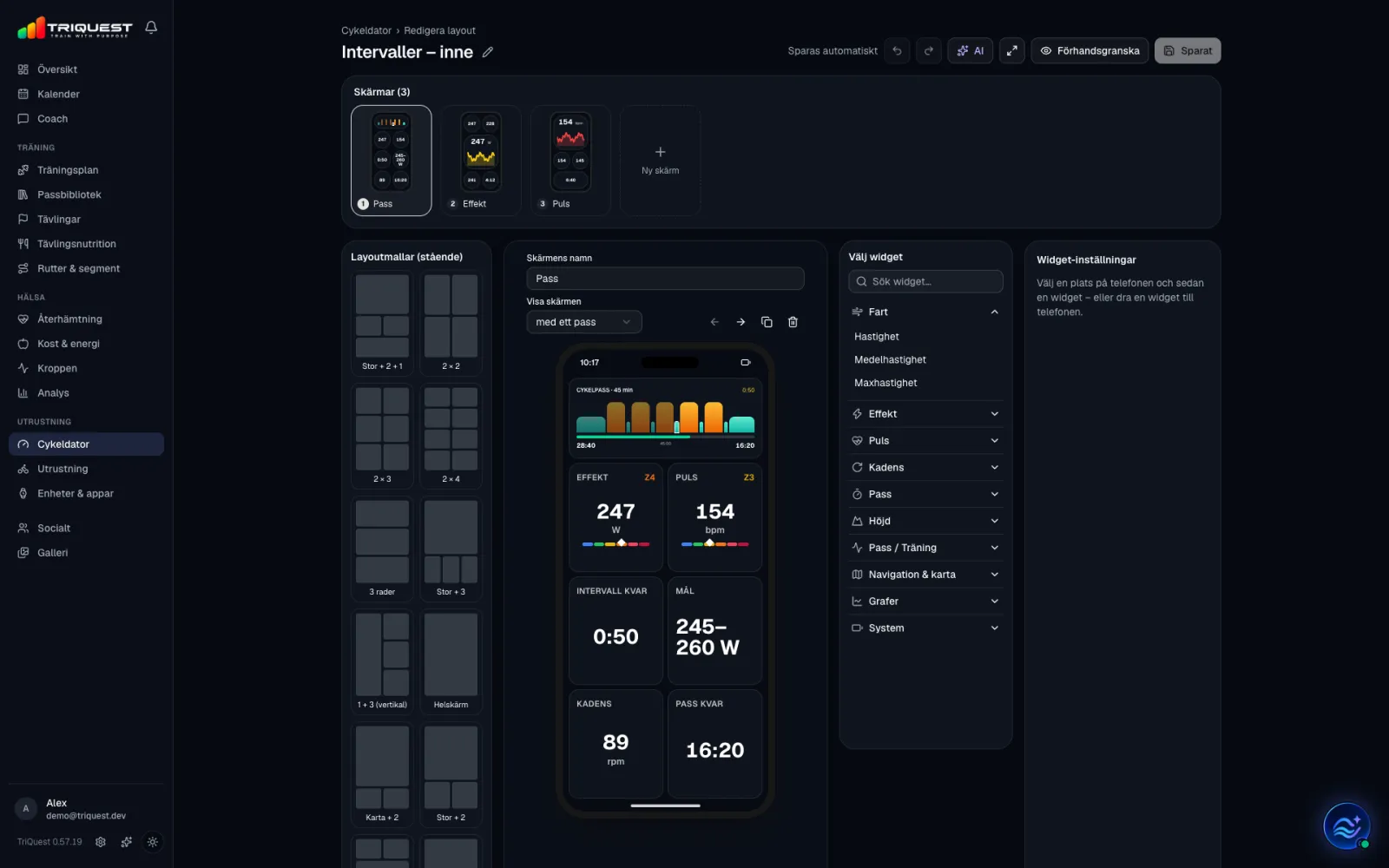
Build the screens on the web
- Choose a layout for the screen: one large field and two small, 2 × 2 up to 2 × 4, three rows, a map with fields below, the workout at the top with fields below, and more.
- Drag in the fields you want to see: speed, power (3 seconds, average, max, weighted and time in zone), heart rate, cadence, time and distance, laps, altitude, grade and ascent, the interval's time left, target and next step, the turn and distance left on the route, clock and battery.
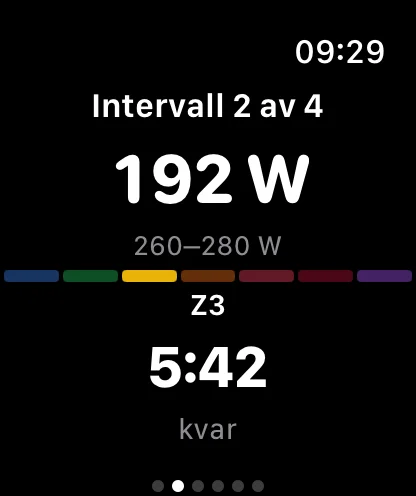
- Choose how a value is shown: as a number, with its zone, as a gauge or as a graph. The workout is shown as the whole workout's bars, as bars with where you are, or as the interval you are in.
- Up to ten screens in a profile, in the order you swipe through them.
- What you build is what you ride: the preview is drawn with the same rules as the phone.
- Your changes are saved as you build, and you can undo and redo.
Or describe what you want to see
- Tap AI and write, for example, “a race screen with power as a gauge, speed and heart rate”. The screens appear on the phone straight away.
- Refine them in the same conversation, then add them or replace your screens with one click.
- Create with AI makes a whole profile the same way. Nothing is saved until you choose to.
A profile for each bike
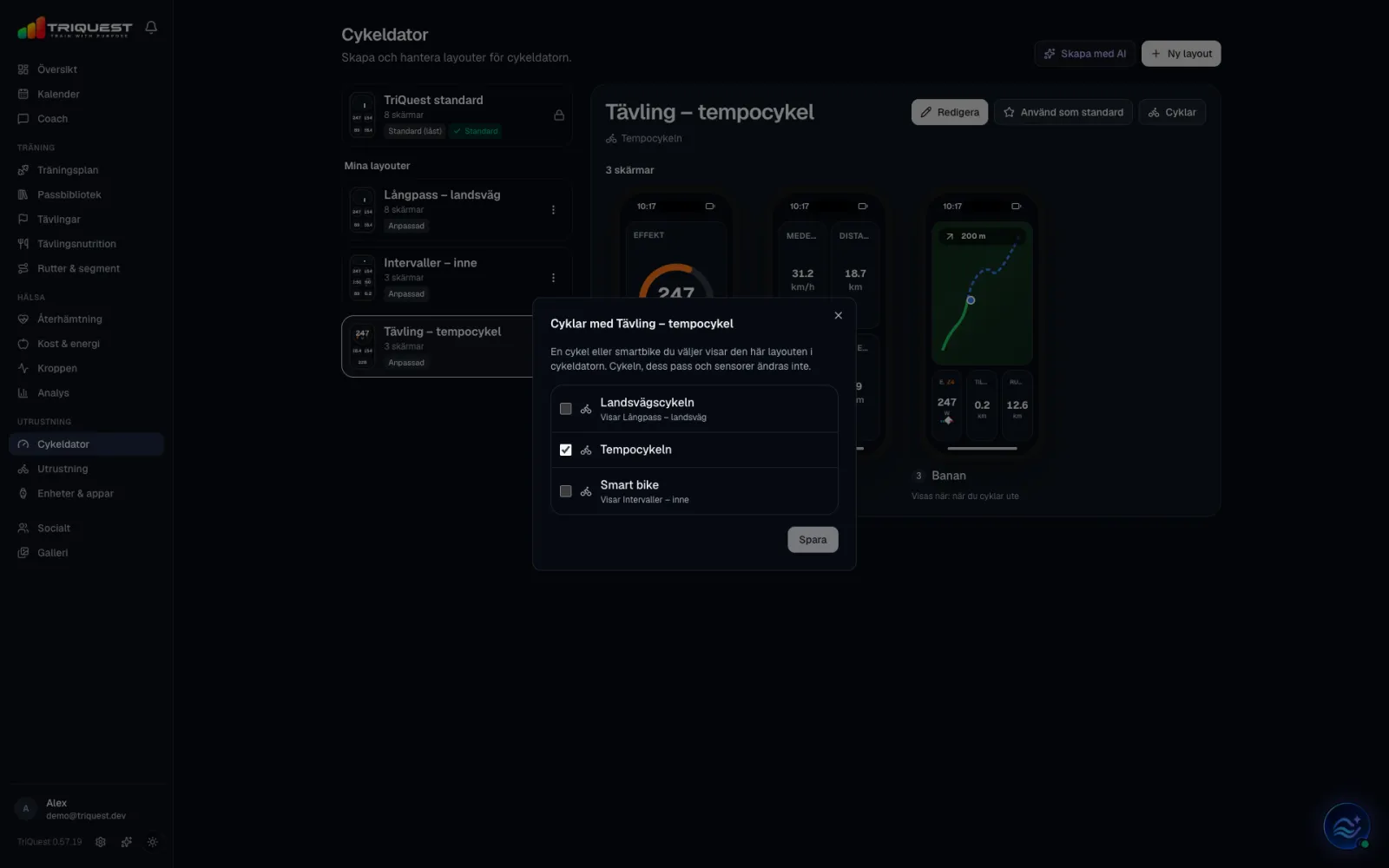
- Save up to 20 profiles of your own: racing on the time trial bike, long rides on the road bike, intervals indoors.
- Link a profile to a bike or smart bike from your gear. When you ride that bike, the computer shows its screens.
- Choose which profile is your default for everything else, and switch the profile for a single ride before you start.
- A profile only changes what is shown. The bike, its workouts and the sensors stay the same.
Screens that follow the workout
- A screen can be shown only during a structured workout, only outdoors or only when you follow a route. Indoors you skip the map, and without a workout you skip the intervals.
- Swipe between the screens during the ride. ERG and the button for the next step are under every screen.
- The screens are fixed when you start. If the app needs to restore the ride, it looks as it did.
- TriQuest standard is always there: eight ready screens for the workout, overview, power, heart rate, climbing, navigation, laps and data. Duplicate it and make it your own.
In the app, on iPhone and Android
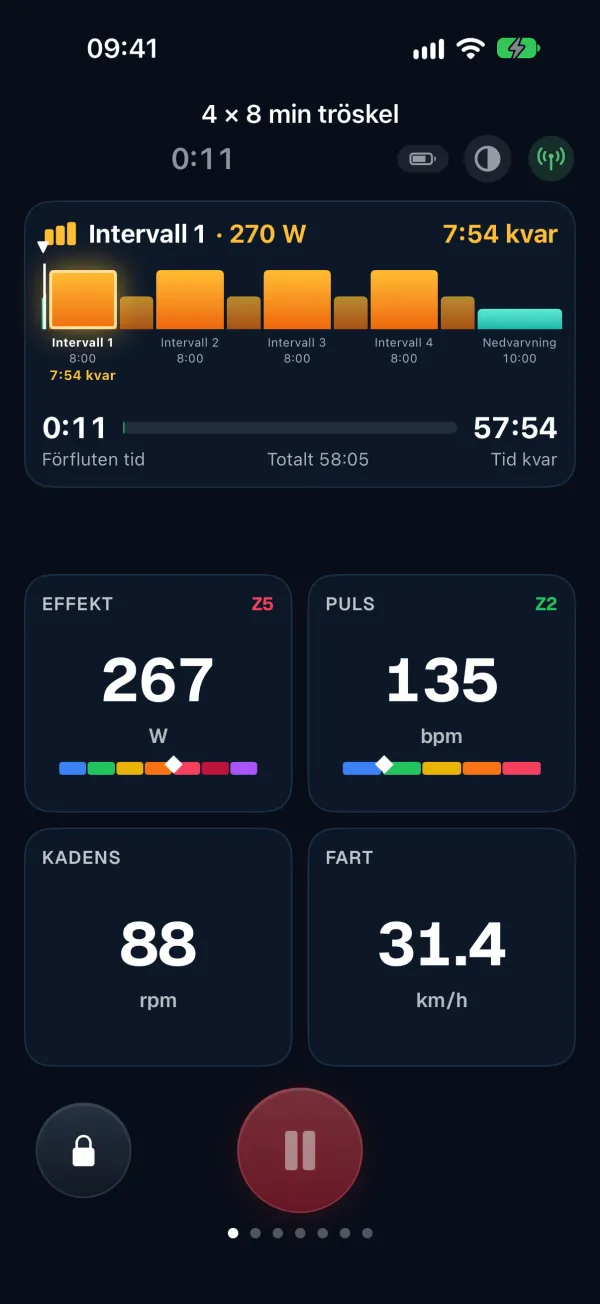
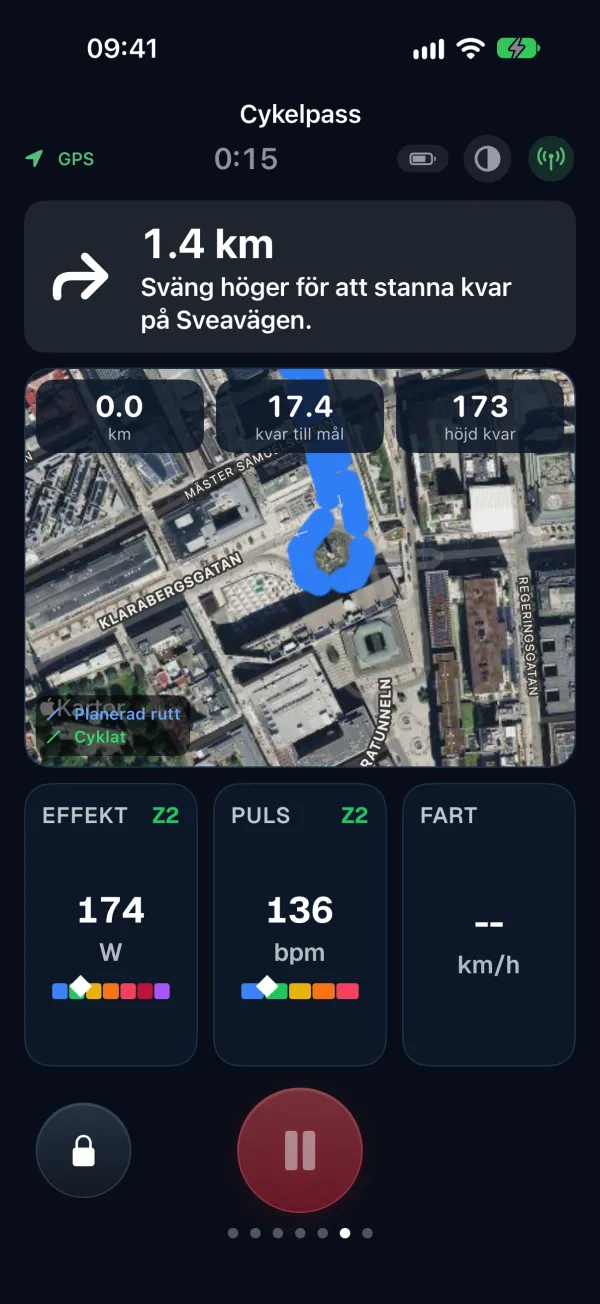
- The same screens in the app on iPhone and Android.
- Heart rate straps, power meters and speed and cadence sensors over Bluetooth, and a smart trainer in ERG when it supports Bluetooth control.
- Outdoors with GPS, map and turns, indoors with the focus on the numbers.
- The ride is saved and compared with the plan as soon as you finish.
More about TriQuest

Triathlon
Plans from sprint to full distance, with bricks, a taper and race nutrition.

Running
Plans from 5 km to the marathon, with pace and heart-rate zones.
Cycling
Plans for bike races, a training computer, routes and power intervals.

Cross-country skiing
Plans for ski races, on snow or roller skis by the season.

Vasaloppet
90 km from Sälen to Mora: long sessions, double poling and roller skis to snow.
Vätternrundan
315 km around Lake Vättern: long rides that grow, the trainer in winter and fuel all the way.

Race nutrition
Carbohydrates, fluid and sodium for the race, step by step.
Ready to train smarter?
Let TriQuest bring your plan, sessions, analysis and coaching together in one place.